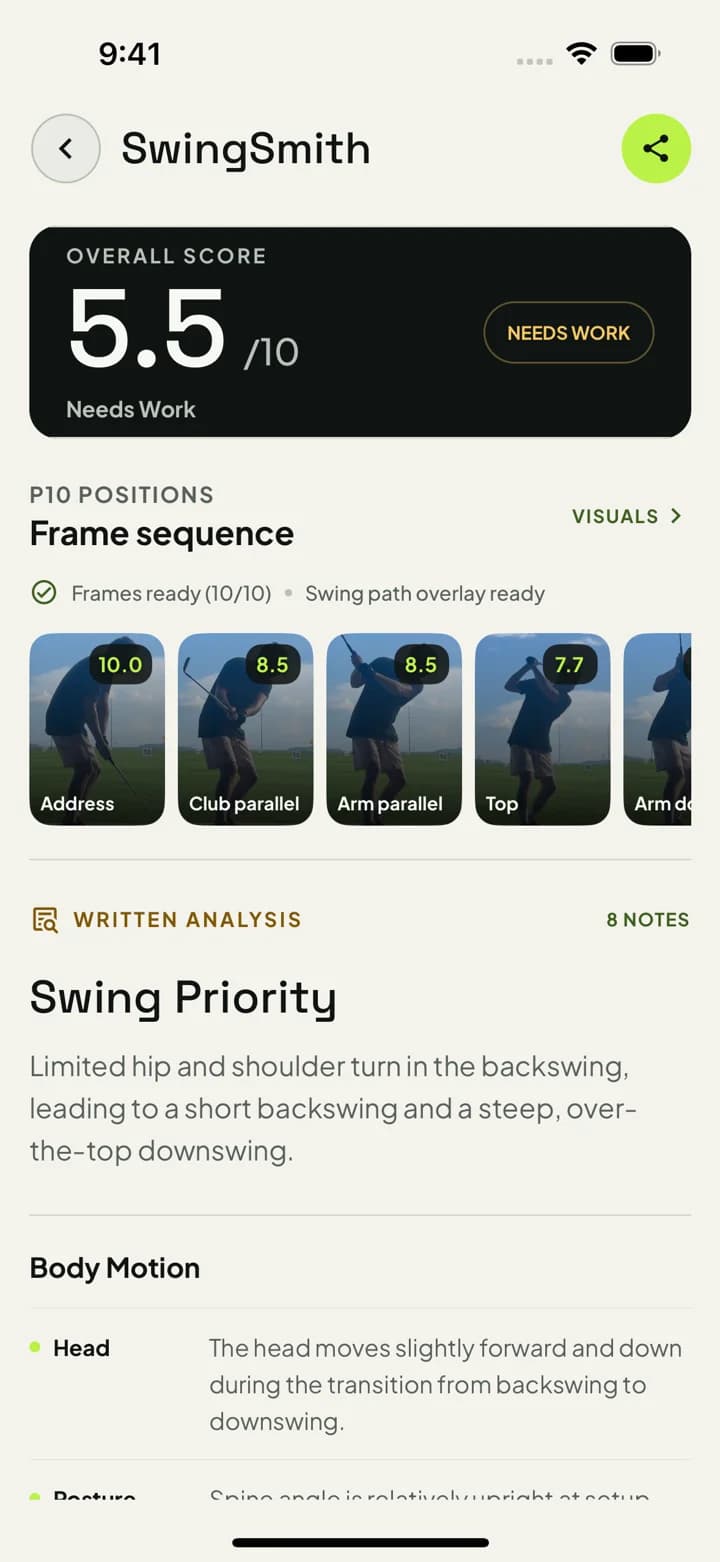
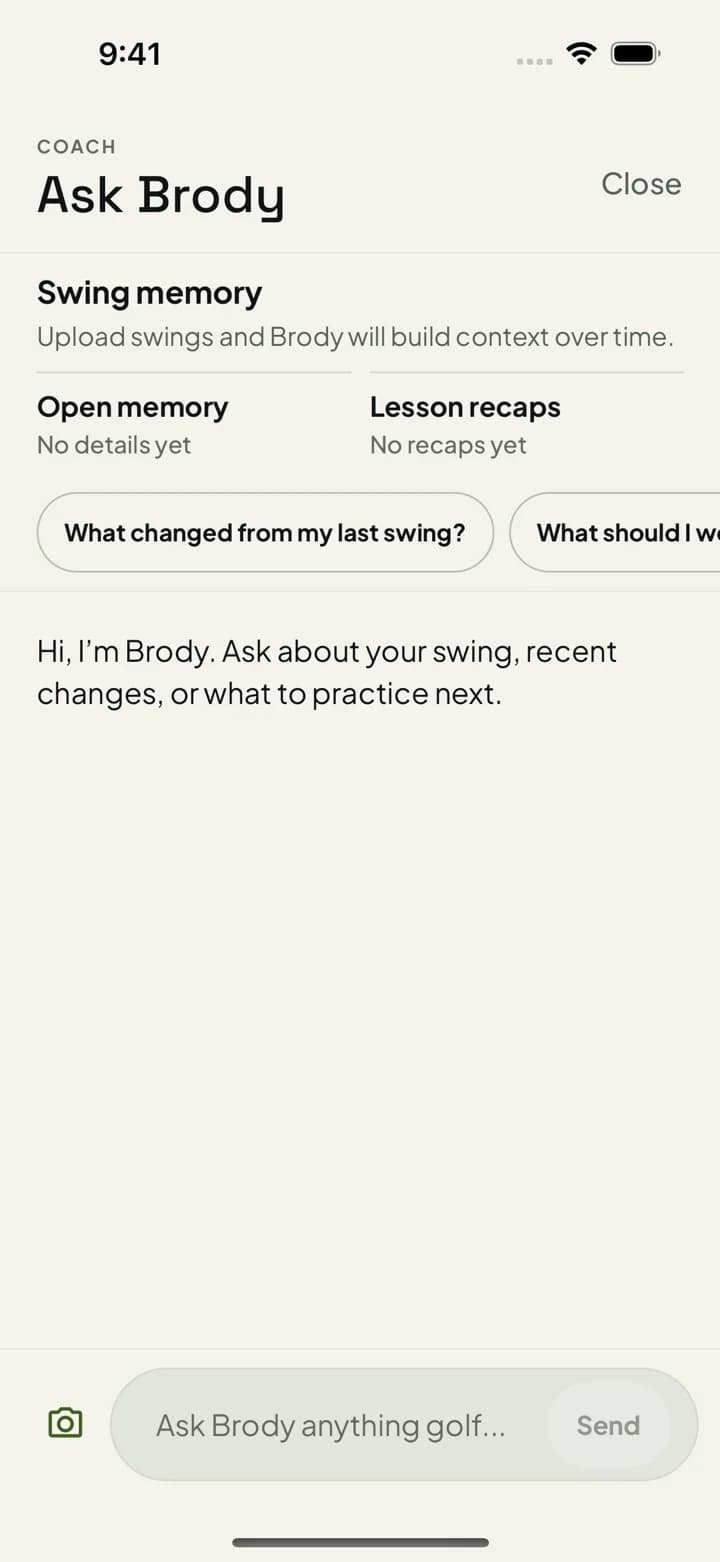
Research the workflow online, then upload your phone swing inside SwingSmith to get a score, P10 checkpoints, visual feedback, written notes, and Ask Brody follow-up tied to your swing history.
Do the research online. Keep the swing analysis in the app.
A browser upload can become a one-off file. SwingSmith keeps the swing video, result, history, visuals, and Ask Brody follow-up together so the next upload can answer what changed.
Phone video
P10 sequence
Swing memory
Try one free starter analysis before choosing a plan. Uploads happen in the iOS and Android app, not on this website.
How the online-to-app workflow works
Step 1
Use the website to understand the workflow
This page explains what SwingSmith checks and what you get back. It does not run a browser upload.
Step 2
Record a normal phone swing
Use a stable down-the-line or face-on angle. Keep the golfer, ball, club, and finish visible.
Step 3
Upload inside SwingSmith
The iOS and Android app keeps the video, result, swing history, visuals, and Ask Brody follow-up connected.
Step 4
Practice from one priority
Use the score, P10 checkpoints, written notes, and follow-up questions to choose what to test next.
What you get back
Swing score
A fast read on the current upload before you go into the notes and visuals.
P10 sequence
A frame-by-frame checkpoint view across setup, backswing, transition, impact, and finish.
Visual feedback
Product proof tied to the uploaded swing, not a generic tip article.
Written priority
One practice focus for the next range, simulator, home-net, backyard, or lesson session.
Swing history
A connected record so later uploads can be compared against older swings.
Ask Brody
Follow-up questions about the current result, previous swings, drills, and practice feels.
Good fit
Use it when online advice is too generic
Golfers searching online before choosing an app-based swing analyzer.
Players who already have phone swing video but do not want a generic AI paragraph.
Range, home-net, and simulator practice where one next checkpoint matters more than more saved clips.
Lesson prep and between-lesson work where swing history helps the next conversation.
Important distinction
This is not a browser uploader
Searchers often type “online golf swing analysis” when they want a way to understand a video. SwingSmith serves that need with an app-first workflow: learn online, download the app, upload the swing, and keep the result connected to history and follow-up.
Use a normal phone swing video, then keep the score, P10 sequence, written priority, swing history, and Ask Brody follow-up connected inside SwingSmith. Current App Store evidence: 4.3 from 12 public ratings (checked Sep 8, 2026).
Can I do online golf swing analysis on this website?
This website explains the workflow and sends you to the app stores. The actual upload, analysis, result history, visuals, and Ask Brody follow-up happen inside the SwingSmith iOS and Android app.
Why not upload directly in the browser?
SwingSmith keeps the swing video, score, P10 frames, visual feedback, written priority, and follow-up chat connected in the app. That matters when you compare later swings or ask Brody what changed.
What does SwingSmith return after the upload?
SwingSmith returns a swing score, P10 frame sequence, visual context, written analysis, and one practice priority. Ask Brody can then help with drills, feels, and questions about older swings.
Do I need a launch monitor or sensor?
No. SwingSmith is built around normal phone swing video. Launch monitors and sensors can add extra data, but they are not required for app-based video analysis.
Can I start free?
Yes. SwingSmith uses one free starter analysis so you can test the app-based analysis workflow before deciding whether to upgrade.