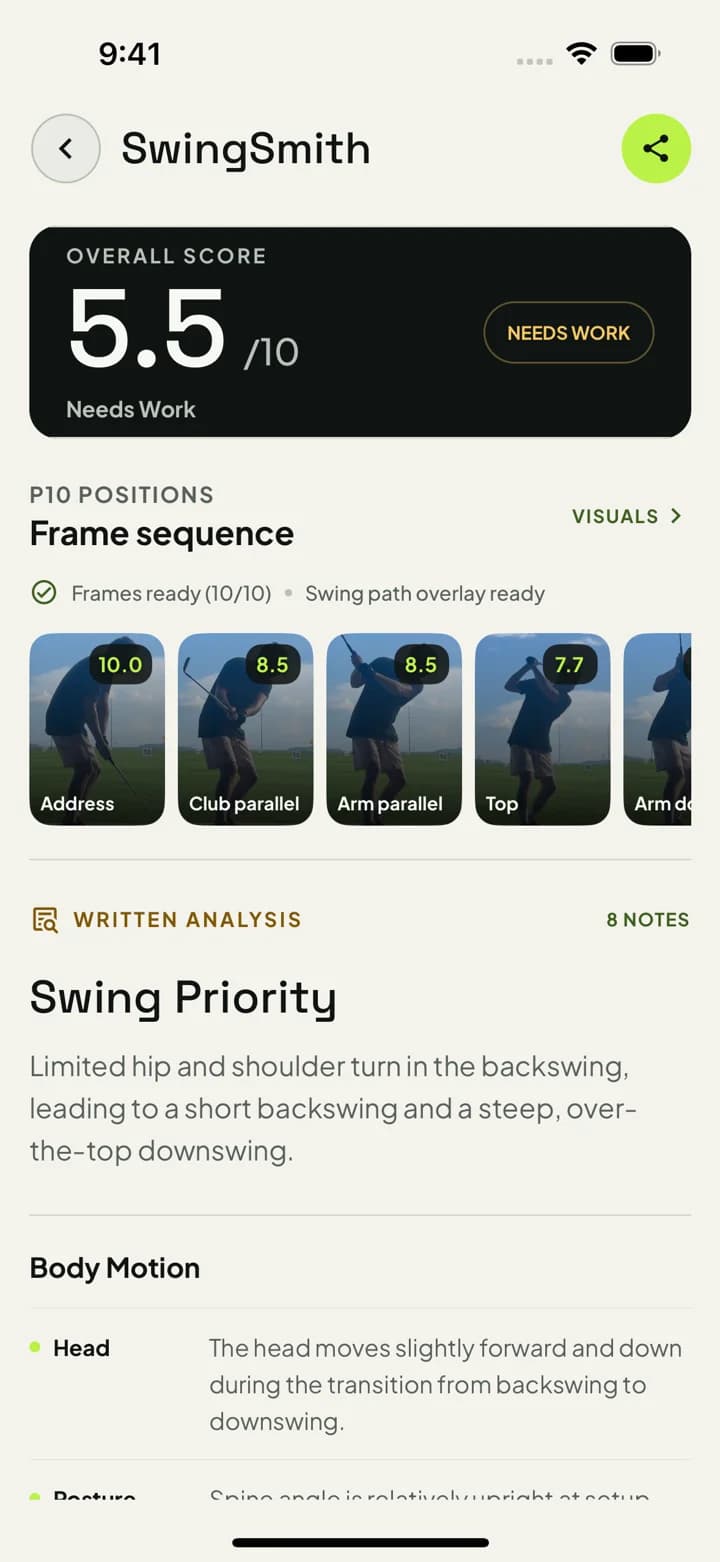
Slow-motion replay can show what happened, but it often leaves the golfer guessing what to do next. SwingSmith turns the upload into a current score, P10 frame sequence, written priority, and Ask Brody follow-up.
Phone video
P10 sequence
One priority
Start with one free starter analysis. Uploads happen in the mobile app, not on this website.
How the video analysis workflow works
Step 1
Record a normal swing
Use the swing you want to understand. A clear down-the-line or face-on phone video is enough to start.
Step 2
Upload inside the app
Keep the swing, result, history, visuals, and Ask Brody follow-up connected in the iOS or Android app.
Step 3
Review the P10 sequence
Use the frame sequence to see where the pattern starts instead of judging the swing from one still frame.
Step 4
Practice from one priority
Take the written priority into the next range, home-net, simulator, lesson, or backyard session.
Where this fits
Golfers who already have a phone video and want more than slow-motion replay.
Players trying to connect a slice, hook, shank, thin strike, or crowded impact to visible positions.
Home-net, range, and simulator practice where the next session needs one clear checkpoint.
Lesson prep or between-lesson practice where a player wants a clearer swing history.
What the app returns
Swing score
Use the score as a quick read on the current upload, then look deeper at the written notes and visuals.
P10 checkpoints
Review address, takeaway, top, transition, impact, and finish as a connected movement sequence.
Written priority
Leave with one practical change to test next instead of a long list of swing thoughts.
Ask Brody follow-up
Ask questions about the current analysis and compare repeat patterns from older swings.
Upload a swing video and leave with one practice priority
Install SwingSmith, upload a clear swing video, and use the score, P10 sequence, written priority, and Ask Brody follow-up to decide what to test next.
It is an app that reviews swing video and turns it into usable feedback. SwingSmith uses phone video to show a score, P10 sequence, visual context, written priority, and Ask Brody follow-up.
Can I upload a golf swing video on this website?
No. Uploads and results happen inside the iOS and Android app so your swing, analysis, visuals, history, and Ask Brody follow-up stay connected.
What video angle should I use first?
Start with down-the-line for plane and path checks, or face-on for setup, rotation, impact, and finish. Keep the golfer, club, ball, and finish in frame.
Do I need a launch monitor?
No. SwingSmith is built around normal phone swing video. Launch monitors can add ball-flight data, but they are not required for video-backed movement checkpoints.
Can I try it free?
Yes. SwingSmith uses one free starter analysis so you can test the video-analysis workflow on your own swing before deciding whether to upgrade.