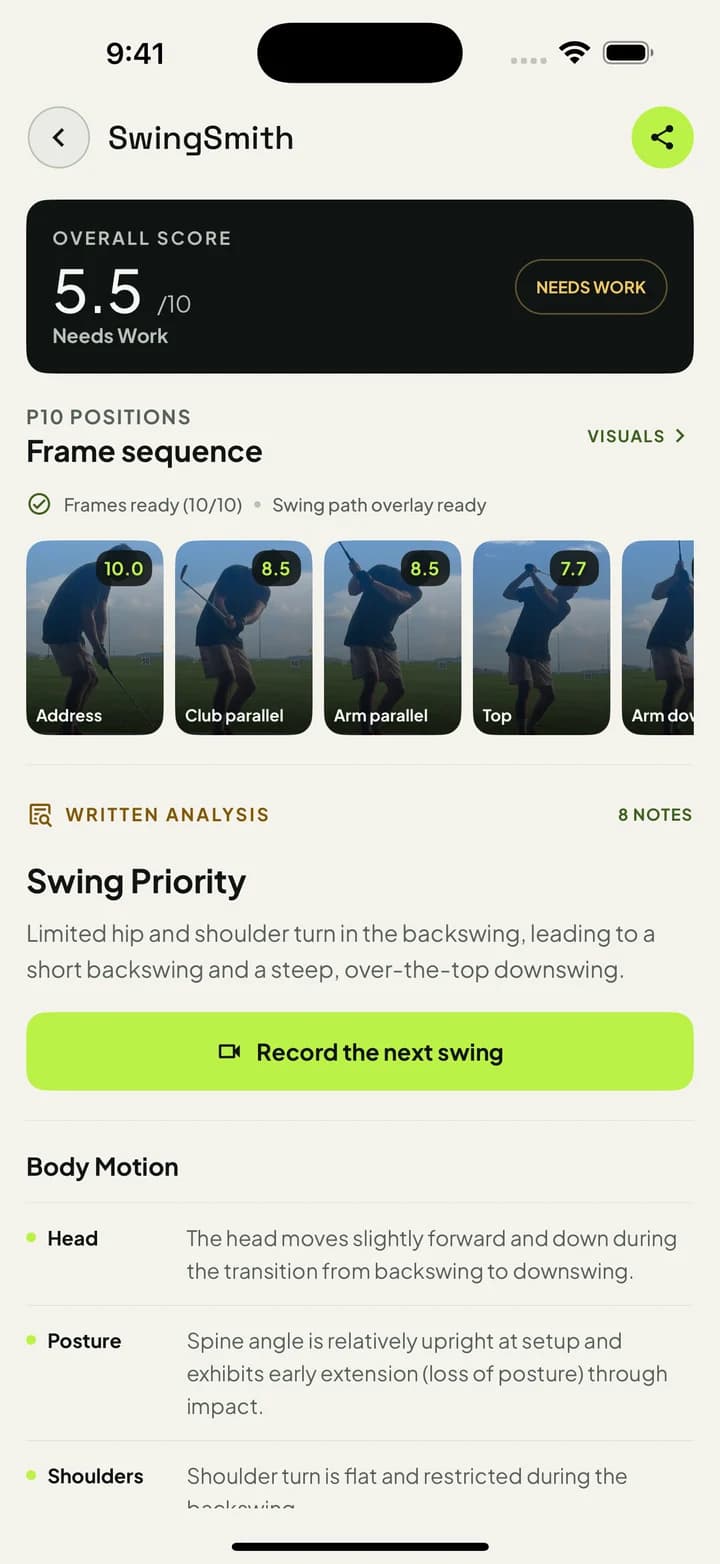
Start with the swing video, then decide what to practice
Hardware data can be valuable, but many golfers first need to see the movement pattern. SwingSmith turns a normal phone video into a score, P10 frame sequence, written priority, and visual context inside the app.
Phone video
P10 sequence
No sensors
Start with one free starter analysis. Uploads happen in the mobile app, not on this website.
Phone video vs. hardware analyzers
Option
What it gives you
Most useful when
SwingSmith phone video
P10 checkpoints, score, written priority, visuals, and Ask Brody follow-up from a normal swing video.
You need a movement checkpoint before the next range, home-net, simulator, or lesson session.
Launch monitor
Ball speed, launch angle, spin, carry, club delivery, and impact data depending on the model.
You need ball-flight or impact numbers and have the budget, space, and setup time.
Wearable or club sensor
Sensor-specific motion data, tempo, club data, or training feedback depending on the device.
You want a hardware training aid and are willing to manage another device.
A no-hardware workflow
Step 1
Record a normal swing
Use the phone you already have. Keep the golfer, hands, club, and hitting area visible from a repeatable angle.
Step 2
Upload in the app
SwingSmith keeps upload, result, history, visuals, and coaching follow-up connected inside the iOS or Android app.
Step 3
Review the P10 sequence
Use the score, frame sequence, visual context, and written priority to see where the swing pattern starts.
Step 4
Practice one priority
Take one focused checkpoint to the next bucket, home-net session, simulator bay, or lesson instead of chasing a full equipment setup.
Good fits
Golfers who want video-backed feedback before investing in launch-monitor hardware.
Range sessions where a phone and tripod are easier than a full data bay.
Home-net practice where ball flight is limited but the movement pattern is still visible.
Coach or facility conversations where video checkpoints explain the swing better than a single ball number.
How to judge it
Use hardware when numbers are the question
If the question is spin, launch, carry, or precise club delivery, hardware has a clear place. If the question is what movement to practice next, a phone-video analyzer can be the faster and cheaper first step.
Can I analyze my golf swing without a launch monitor?
Yes. SwingSmith is built around phone swing video. A launch monitor can add ball and impact data, but it is not required for SwingSmith's P10 checkpoints, written priority, and visual review.
Do I need sensors or a wearable device?
No. SwingSmith starts from a normal swing video uploaded in the mobile app, so there is no club sensor, body sensor, or extra hardware requirement.
Is phone video as detailed as a launch monitor?
It answers a different question. Phone video is useful for body, club, sequence, and movement checkpoints. Launch monitors are stronger for ball-flight and impact numbers.
Do I upload my swing on this website?
No. Uploads and results happen inside the iOS and Android app so history, visuals, and Ask Brody coaching stay connected.
Can I try it before paying?
Yes. SwingSmith uses one free starter analysis so new users can test the workflow on a real swing before deciding whether to upgrade.