 A little clarity goes a long way.
For everyday golfers.
Know what to
work on next.
Still guessing what to change? Film one swing. Get an AI position breakdown and one clear practice priority for your next session.
Your first analysis is free in the app. No card required.


A clearer picture.
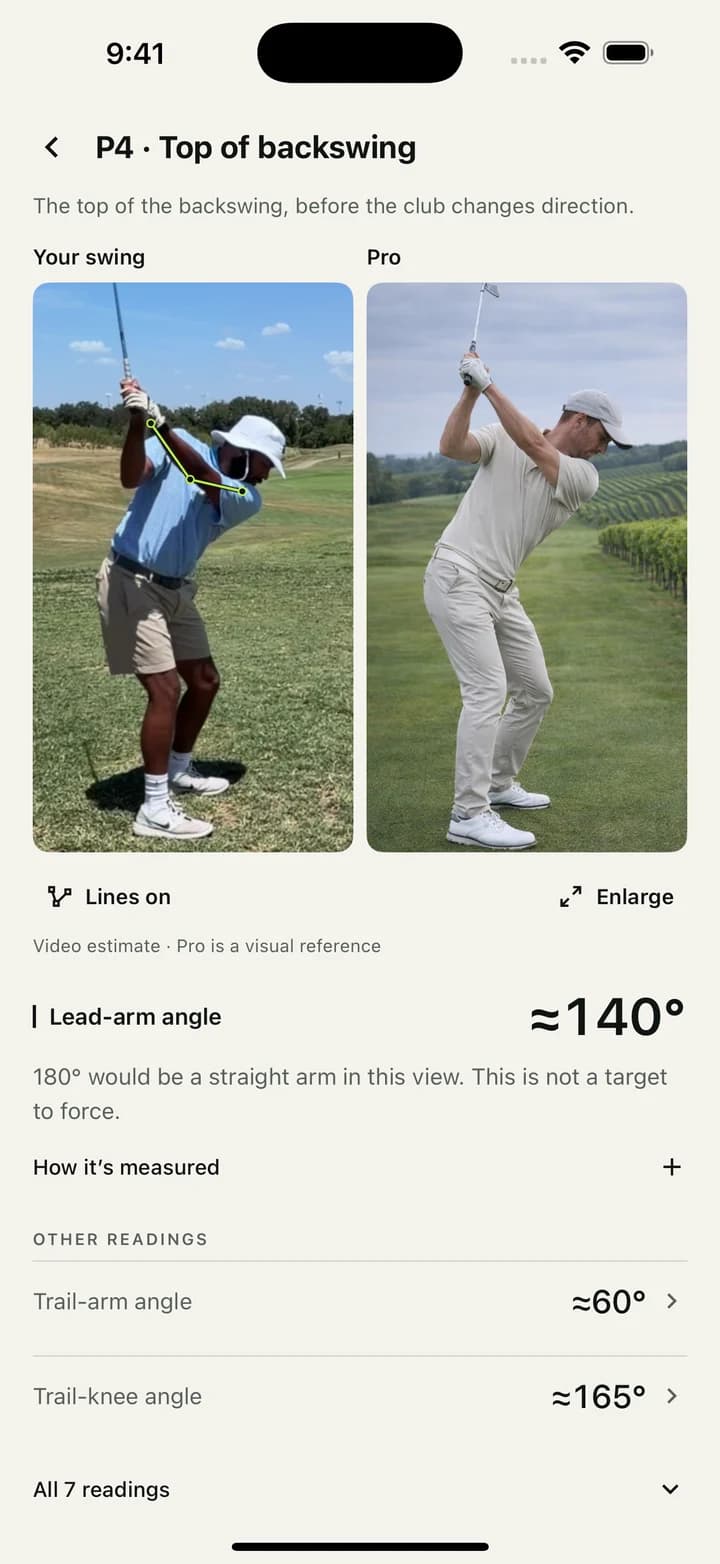
Actual app · Visuals comparison · paid feature
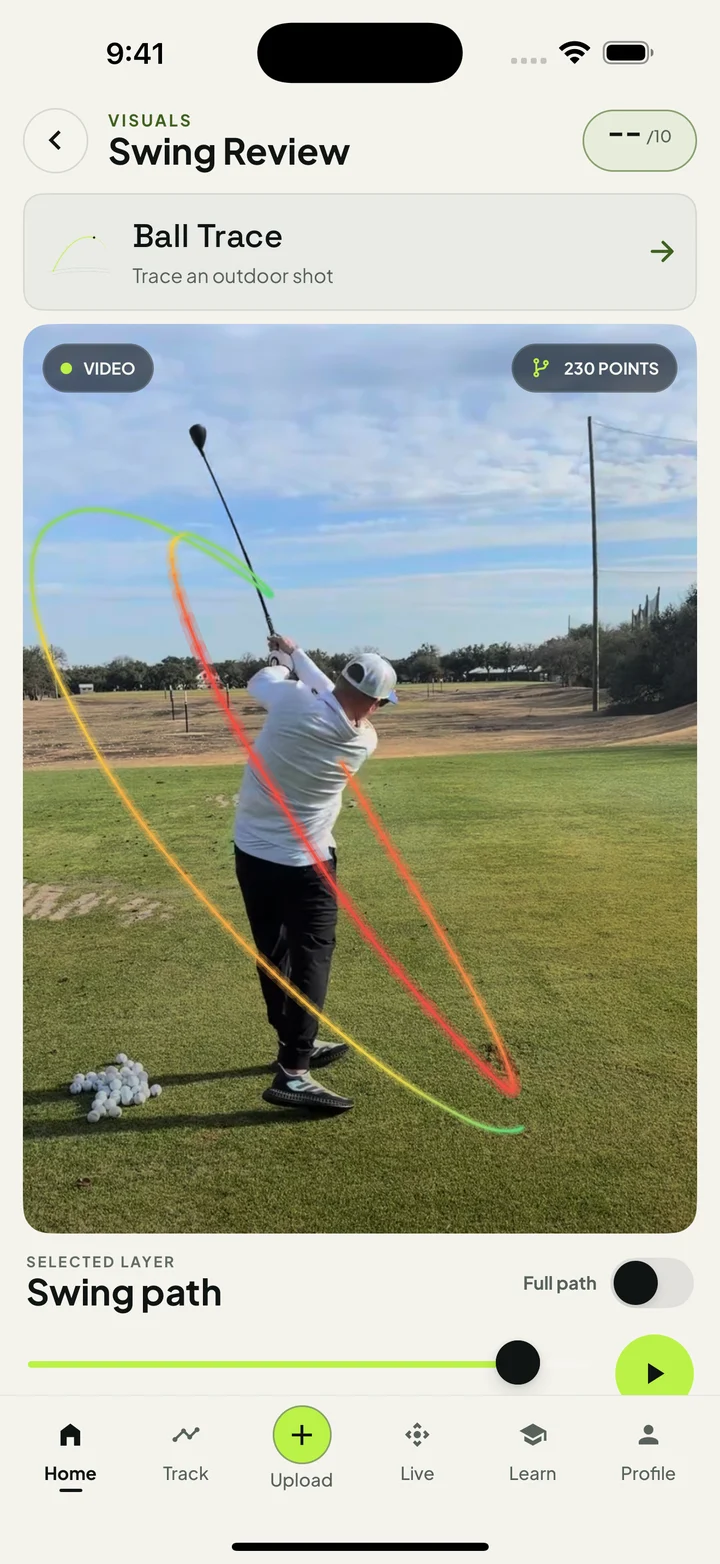
Drag the slider to explore each frame.
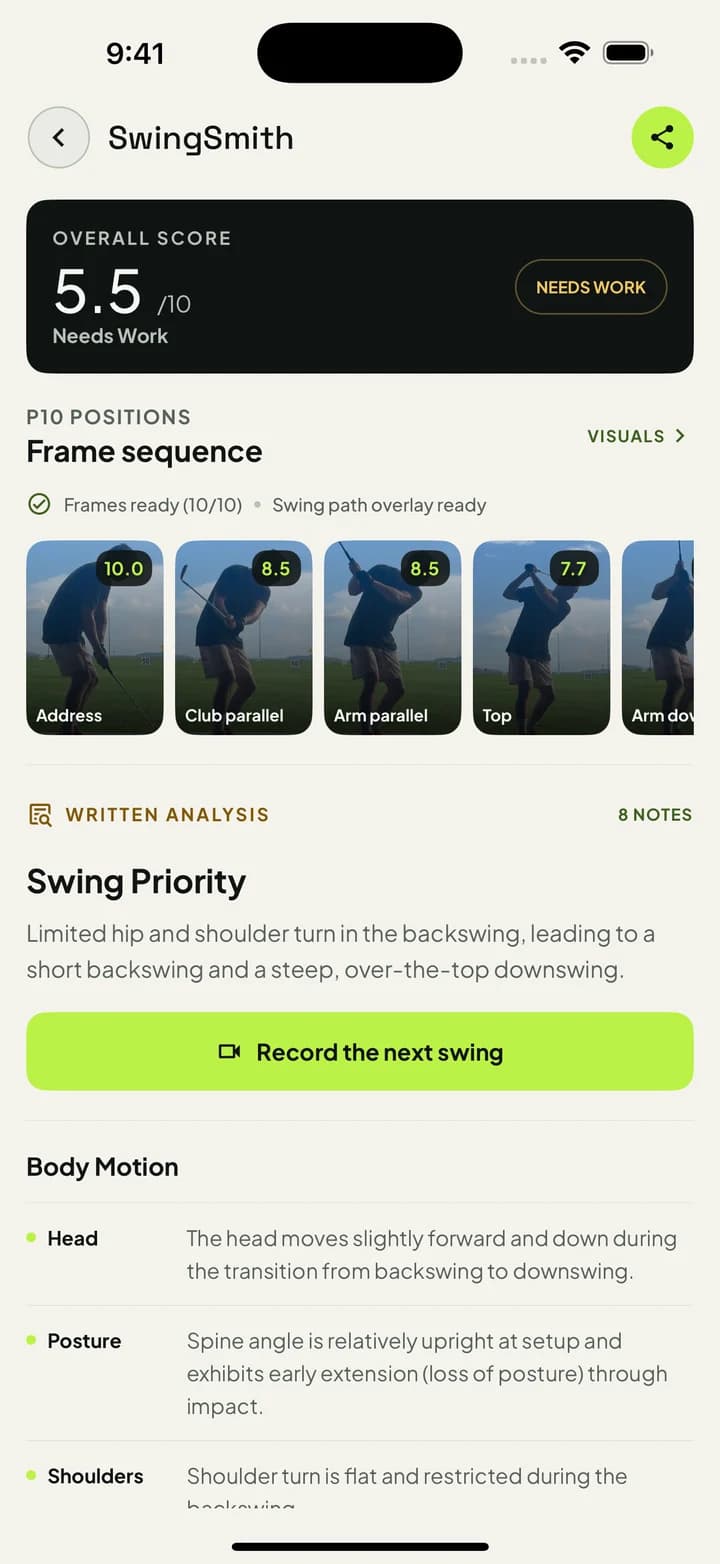
Drag the slider to explore each frame.
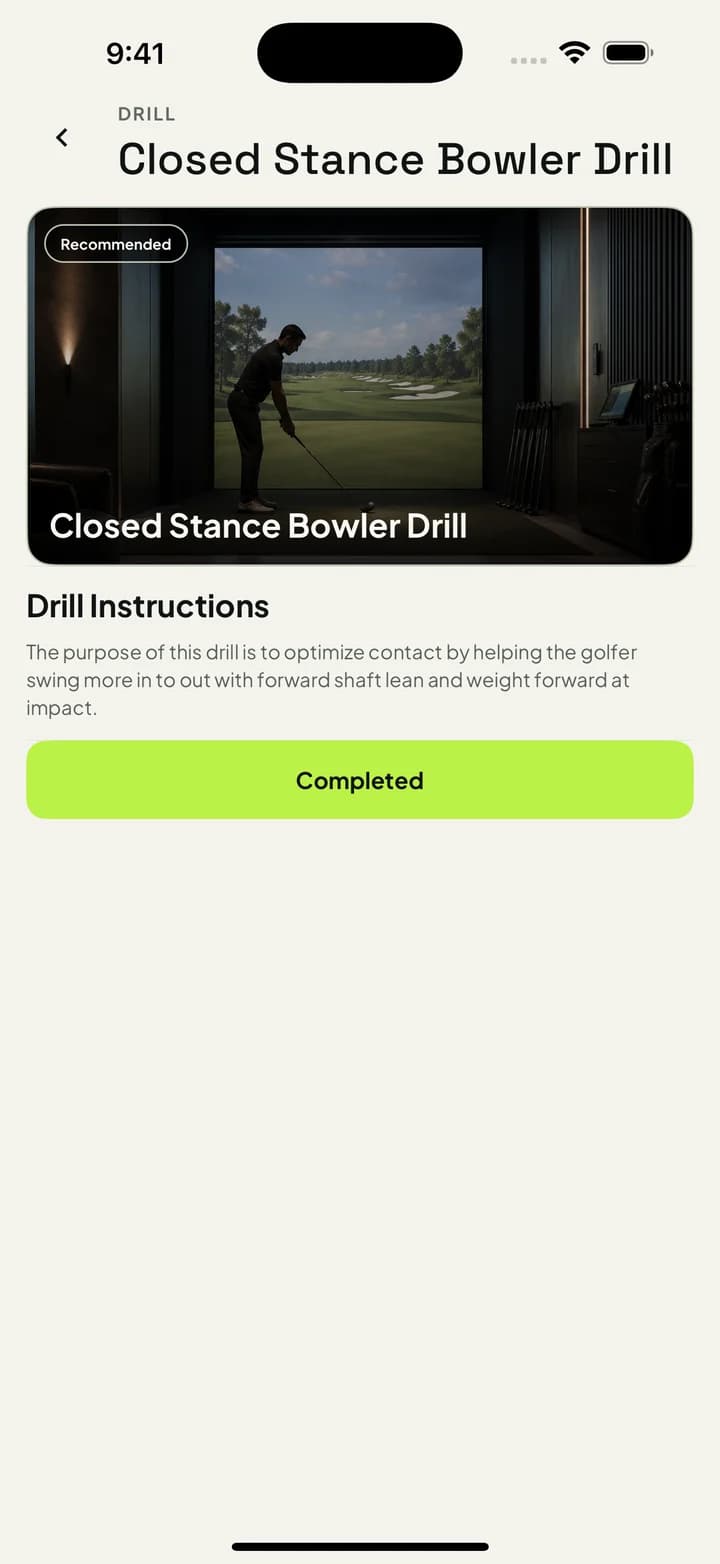
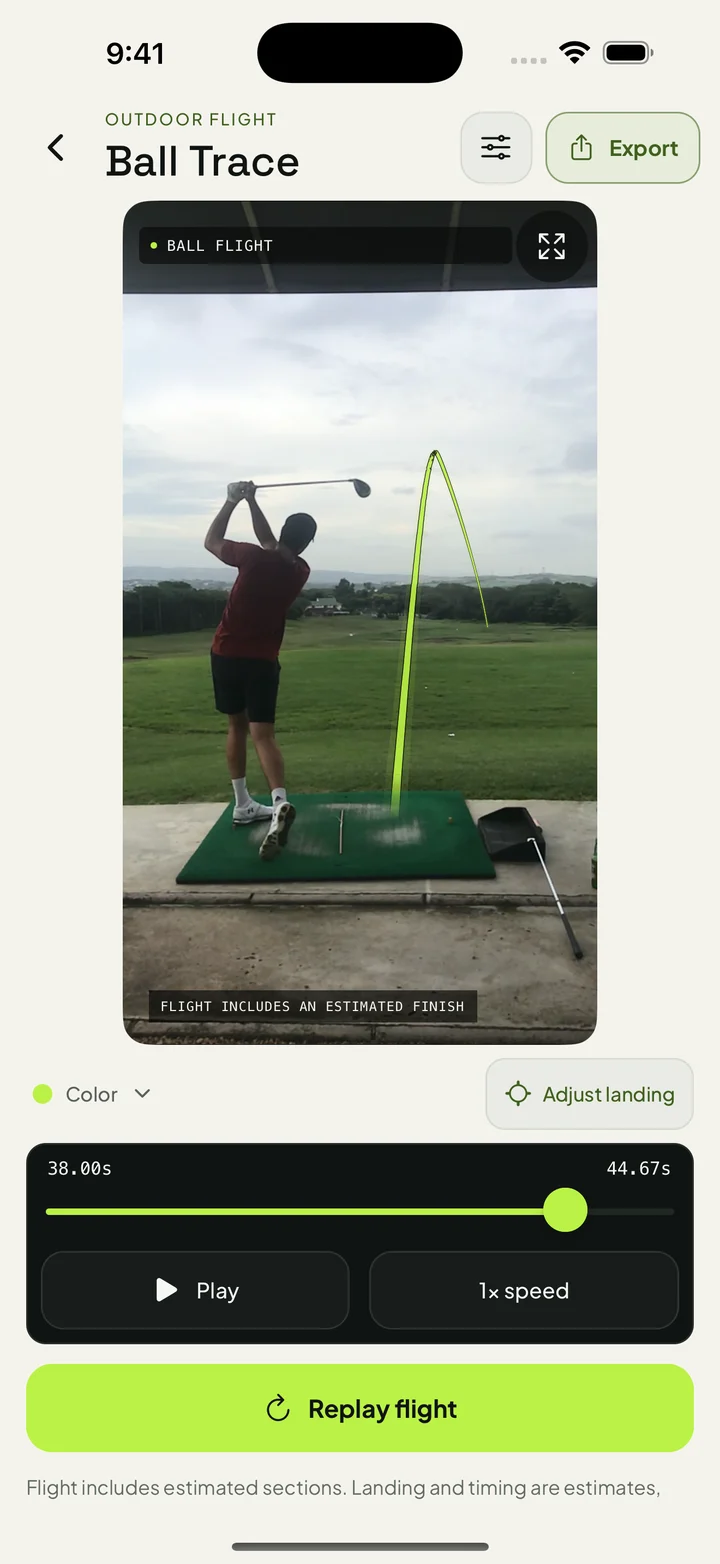
See where your club travels.
Follow the clubhead from setup to finish. For Swing Path, film down-the-line in slow motion, with the full club in view, a steady phone and good light. Face-on still works for position analysis. Estimated sections are labeled.Scroll through the swing, then back again. Film down-the-line for Swing Path. Estimated sections are labeled.
Get my free analysisTry Swing Path with your free analysis. Ask Brody requires a paid plan. Ball Trace includes estimated flight sections.
- 01
Record a swing.
Use face-on or down-the-line video. Keep your body and club in frame. A phone is all you need.
- 02
Find your first priority.
Install the app, create your account and upload the video. Your first completed analysis is free. Review your position breakdown and suggested practice focus.
- 03
Practice with one focus.
Take one priority into your next session. Return to saved feedback to compare what you see and discuss it with your coach.
From a golfer using SwingSmith
“It’s so helpful and evolving for my game. Great tips all over the place.”
Vidal MarshSwingSmith golfer
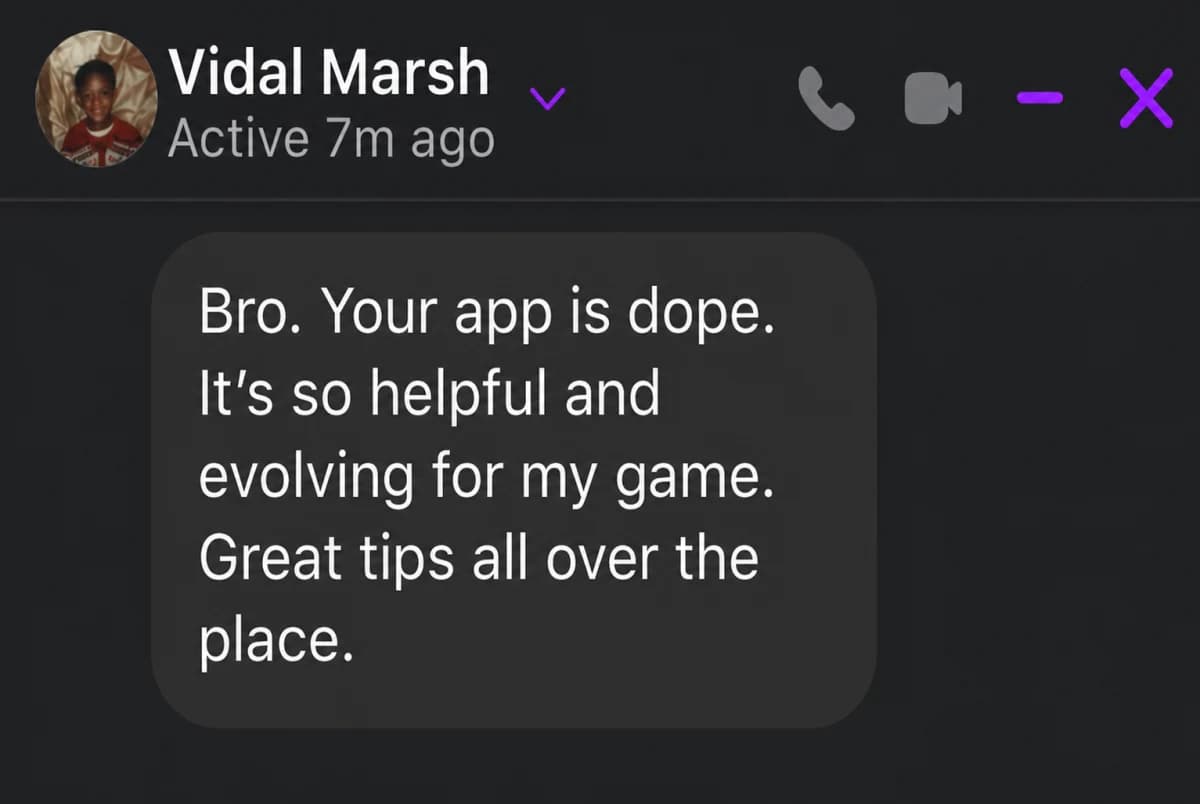
Excerpt edited for length.
The thinking behind SwingSmith
Good practice.
Beyond the lesson.
You put in time at the range, try a tip, then wonder if it helped. SwingSmith is for everyday golfers who want a clearer next step when a coach isn’t beside them.
SwingSmith brings your swing video, feedback and next practice priority into one place. Use it to make the work between lessons more focused, and bring better questions back to your coach.

Founded by Michael Oliver.
Built for more purposeful practice.
Make it part of your practice.
At the rangeGive that bucket a purpose.Film a swing, review your priority and take one focus into the next set of balls.At homeSee what the net can’t tell you.Look at your movement on video when you can’t follow the full ball flight.Between lessonsKeep your coach’s work in focus.Return to saved results and bring your practice questions to the next lesson.Working with golfers? Explore SwingSmith for coaches
What’s actually measured
More than a score.
A closer look at your swing.
Head movement. Arm extension. Posture. See the details behind your feedback, so you understand what to work on and why.
Explore the full measurement catalog- Head stability
- How steady is your head as you swing?
- Hip sway
- How far do your hips move sideways?
- Lead-arm extension
- How much does your lead arm bend?
- Stance width
- How wide is your base at setup?
See all 23 measurement types
- Arm width
- Balance
- Finish symmetry
- Side-to-side head drift
- Head stability
- Hip-shoulder separation
- Hip sway
- Hip turn
- Lead-knee flex
- Trail-knee flex
- Lead-arm extension
- Lead-knee flex change
- Rotation completion
- Shoulder drift
- Shoulder tilt
- Shoulder turn
- Spine-tilt change
- Stance width
- Trail-elbow angle
- Trail-knee flex change
- Upper-body tilt
- Vertical-center change
- Weight shift
A measure can be checked at several positions. Available checks depend on camera view and usable video.
Room to grow
Try your first swing free.
Choose a plan later.
Your first starter analysis is on us.
Choose more detail when it feels right.
Free
A good place to start.
One starter analysis. See your swing broken down and get your first practice priority.
- One starter analysis
- No card required
Monthly prices in USD. Local app-store pricing may vary. Manage or cancel paid subscriptions in your app store.
Is it really free, or do I have to subscribe?
Your first completed swing analysis is free, with no card required, and includes Swing Path. Create an account in the app, upload your video, and review your position breakdown and practice priority. You choose whether to subscribe for more analyses and tools. Ask Brody requires a paid plan.
Do I need a sensor or a special camera?
No. Record a swing with your phone and upload it in the app. Keep your whole body and club in view, use good light and follow the in-app filming guidance so the visible positions can be analyzed.
Is SwingSmith on iPhone and Android?
Yes. SwingSmith is available in the App Store and on Google Play. Choose your device when you start. Subscriptions are managed through your app store, and local pricing may vary.
What can the AI measure?
SwingSmith analyzes visible positions in your video. It does not measure ball flight or replace a launch monitor. Camera angle and video quality affect the analysis. Use the feedback as a practice aid alongside your own feel or a coach’s guidance.
What happens to my swing videos?
Swing videos are processed for analysis with your permission, including by Google AI services. SwingSmith does not sell your videos. See the Privacy Policy for the details of storage, processing and your choices. Read the Privacy Policy
Start with the swing you have
Give your next session
a clear focus.
Get my free analysisFilm one swing. Get your first practice priority free in the app.