
Step 1
Capture normal lesson video
Use the same phone swing video a coach, academy, simulator bay, or range program already records.
For Coaches And Facilities
Use SwingSmith as a private review layer for lesson follow-up, junior programs, simulator sessions, and range practice where one clear swing priority matters more than more noise.
Review The Partner PilotLast updated: May 25, 2026
Coach workflow
SwingSmith turns a player's swing video into a score, frame sequence, written priority, and visual checkpoints. Coaches can use that output to reinforce the same technical focus between lessons without creating a separate video-analysis workflow.

Step 1
Use the same phone swing video a coach, academy, simulator bay, or range program already records.
Step 2
Review the score, written priority, 10-position sequence, and visual breakdown inside the current dark app.
Step 3
Use the result as a between-session practice target instead of sending a player home with a long list.
A readable analysis screen with overall score, swing priority, and notes from the current dark interface.
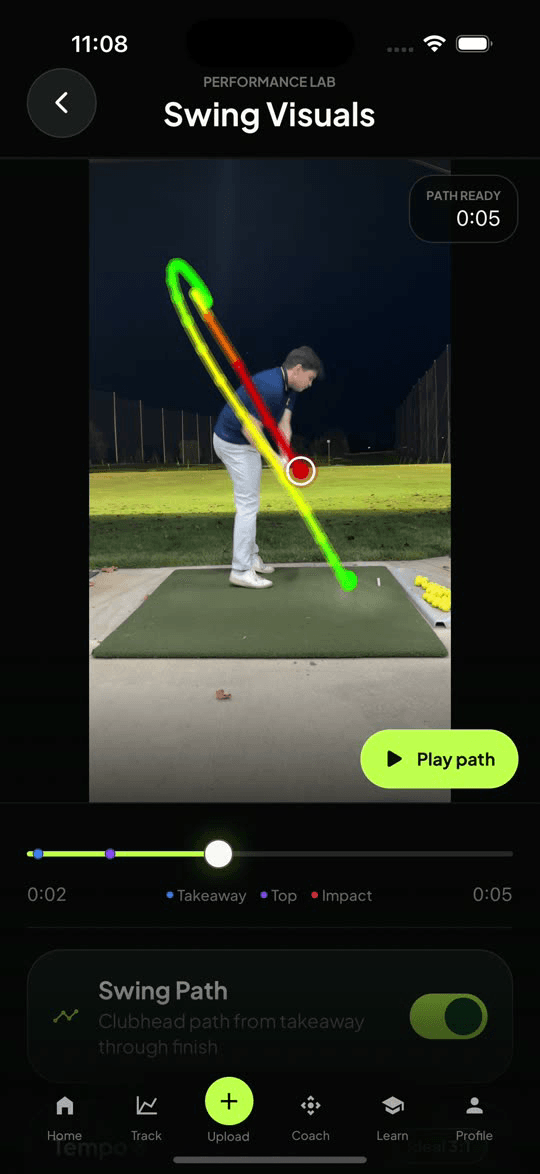
A visual overlay for path and timing conversations when video explains more than text alone.
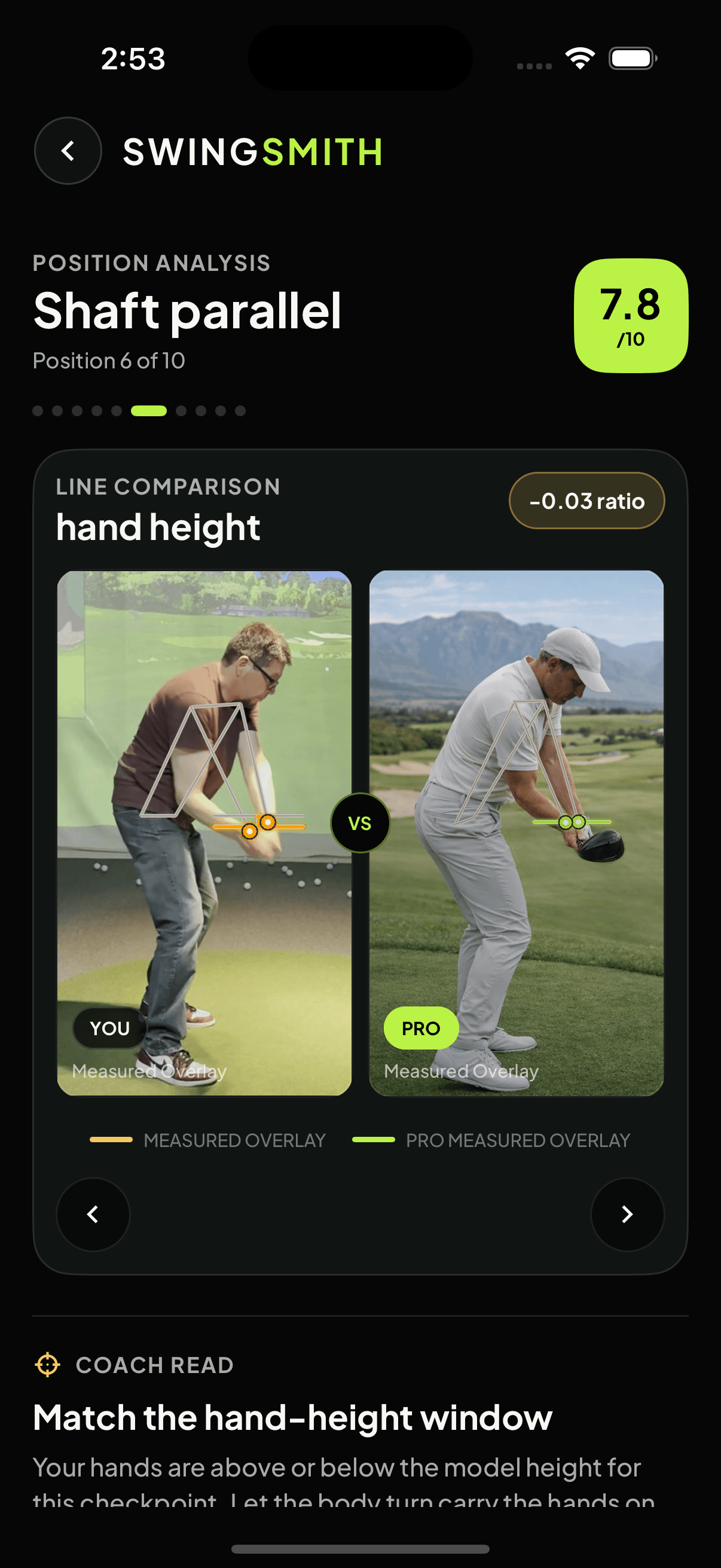
A checkpoint comparison view for showing where a player's position differs from a reference model.
The public coach workflow explains the use case. The partner pilot is the next step when a coach or facility wants to test real swings privately before recommending SwingSmith to players.
Start privately
Email SwingSmith if you want to review the coach workflow, or go straight to the partner pilot if you already want a small private test.
SwingSmith is built for individual golfers, but the coach workflow is useful when a coach, academy, or facility wants players to keep working from the same checkpoint between sessions.
No. The useful role is supporting instruction with repeatable checkpoints, a single priority fix, and practice notes players can review after the lesson.
Yes. Coaches and facilities can use the private partner pilot to review a small set of swings before promoting anything to students, members, or parents.
No. Uploads and results happen inside the iOS and Android app so analysis history, visuals, and coaching tools stay connected.