AI Golf Coach App

AI Golf Swing Coach App

SwingSmith turns one phone swing video into a scored analysis, P10 frame sequence, visual context, and Ask Brody follow-up so your next practice session has one clear job.

Analyze My Swing Free

Last updated: May 26, 2026

Video-backed coaching

The coach starts from your swing, not a generic prompt

SwingSmith analyzes the swing video first, then gives the golfer a sequence, priority, and follow-up path. That keeps advice tied to the motion you recorded instead of another broad swing tip.

P10 sequence
Priority fix
Ask Brody

Start with one free starter analysis. Uploads happen in the mobile app, not on this website.

Current SwingSmith AI golf swing coach result with P10 frame sequence and written priority

How the AI coach workflow works

Step 1

Upload a normal swing

Record the swing pattern you want to understand, then upload it inside the SwingSmith iOS or Android app.

Step 2

Review the P10 sequence

Use the score, P1-P10 checkpoints, written priority, and visuals to see where the swing pattern starts.

Step 3

Ask the follow-up

Ask Brody what changed from previous swings, which drill fits the pattern, and what to check next.

Step 4

Practice one fix

Take one priority to the range, home net, simulator, or next lesson, then record again from the same angle.

Current app views

SwingSmith AI golf swing coach app result with score and P10 frame sequence

Analysis first

Start from score, P10 positions, visuals, and one written swing priority.

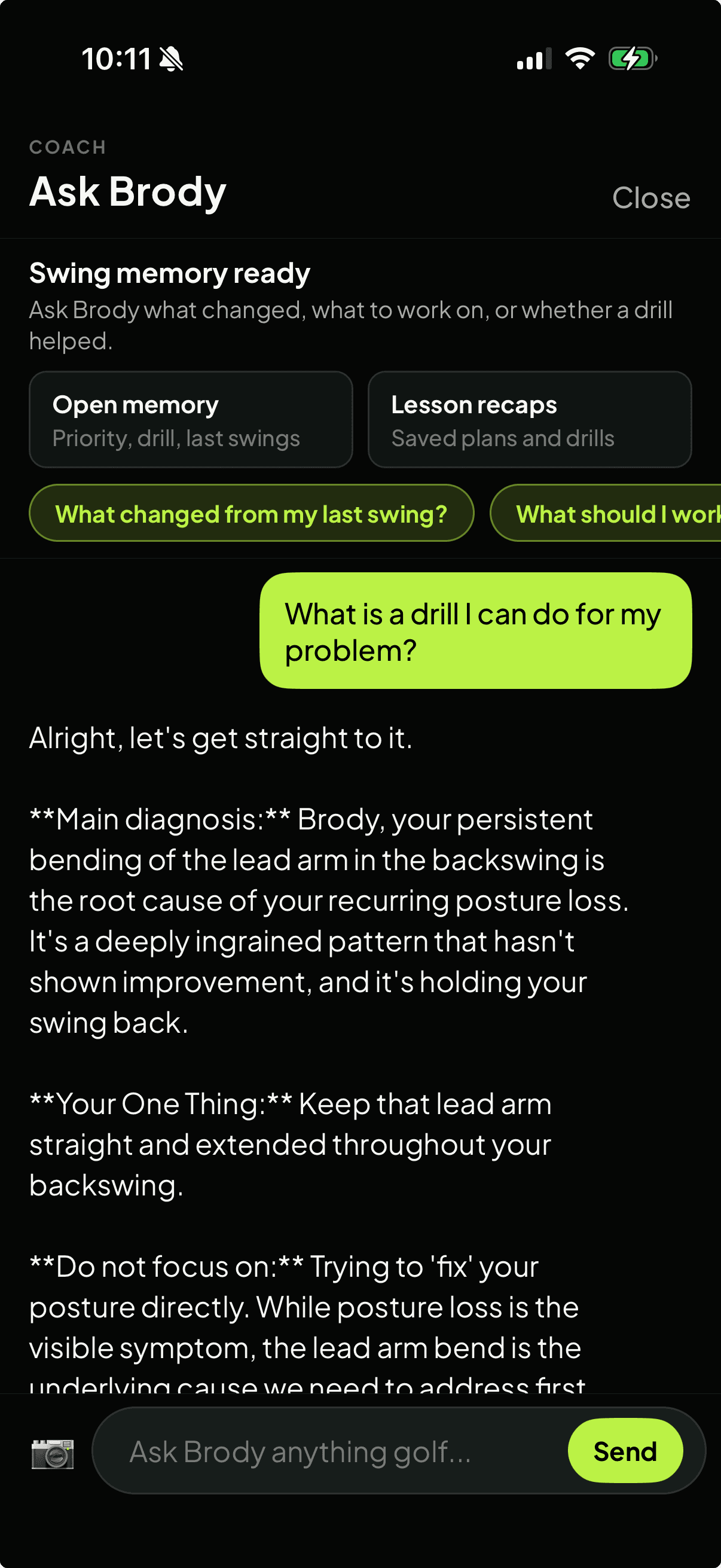
Ask Brody screen showing swing memory and follow-up context from previous swings

Swing memory follow-up

Ask Brody about previous uploads, saved drills, lesson recaps, and what changed.

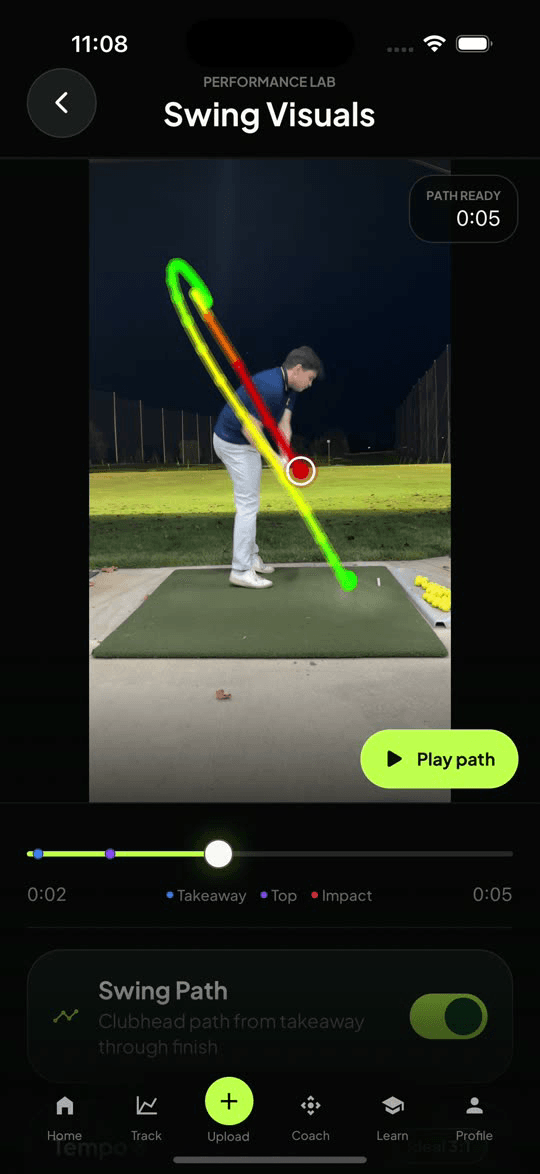
SwingSmith visual swing path analysis screen

Visual context

Use swing-path and position views when a visual explanation beats another paragraph.

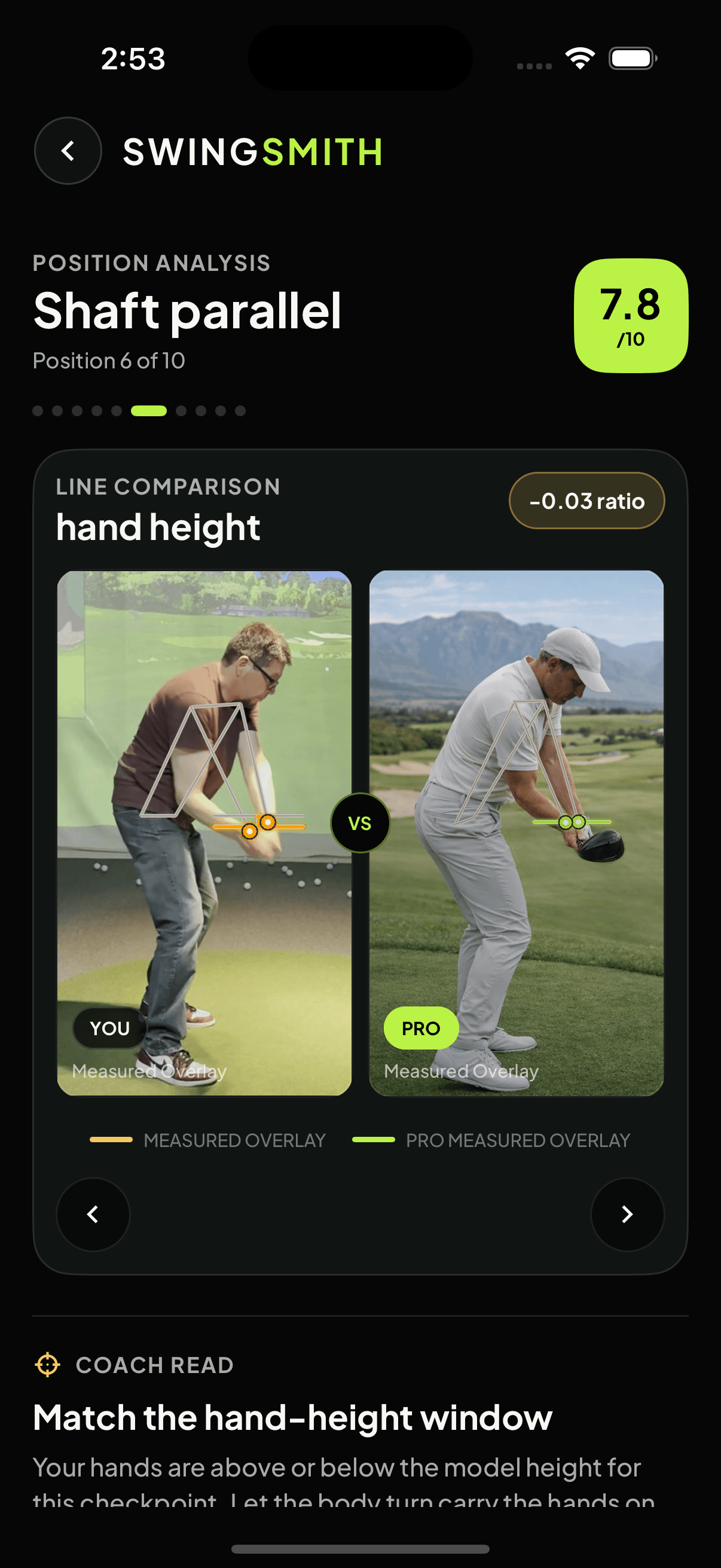
SwingSmith position comparison screen with user and pro checkpoint views

Position comparison

Use comparison views to see where your checkpoint separates from a model position.

Good fits

  • Golfers who want a practice decision from swing video, not just a clip library.
  • Players working between lessons who need the same checkpoint to stay visible.
  • Range, home-net, and simulator sessions where feedback has to be simple enough to act on.
  • Coaches and facilities that want to privately inspect AI output before sharing it with players.

How to judge it

A useful AI coach should narrow the next session

If the result leaves you with ten disconnected swing thoughts, it is noise. The useful test is whether the analysis gives you one priority, a visible checkpoint, and a way to check progress on the next upload.

Choose the next path

Try the workflow

Start with your own swing video

Install SwingSmith, upload a clear swing, and use the result to decide whether the AI coach workflow is worth keeping in your practice routine.

Frequently asked questions

What is an AI golf swing coach app?

An AI golf swing coach app reviews swing video, turns it into feedback, and helps the golfer decide what to practice next. SwingSmith starts from the uploaded swing, then connects the result to P10 checkpoints, priority notes, visuals, and Ask Brody follow-up.

Does SwingSmith replace a golf coach?

No. SwingSmith is best used as a practice and review layer. A coach still matters for instruction, but the app can keep one checkpoint visible between lessons.

Can I ask follow-up questions after the analysis?

Yes. Ask Brody is built for follow-up questions, drills, practice checks, and plain-language next steps based on the current analysis and previous swing history.

Do I upload my swing on this website?

No. Uploads and results happen inside the iOS and Android app so analysis history, visuals, and coaching tools stay connected.

Can I try the AI coach app free?

SwingSmith includes free starter access so new users can test the workflow on a real swing before deciding whether to upgrade.


Explore SwingSmith

Start with the core app, analyzer, coach, and support paths. Specific swing-topic pages stay linked from the articles where they are most useful.

Analyze My Swing Free