Practice Priority

Golf Swing Drills App

Use SwingSmith to move from one phone-video analysis to one practice priority, then ask Brody about drills, feels, previous swings, and what changed over time.

Analyze My Swing Free

Last updated: May 27, 2026

Stop collecting random tips

Pick the drill after you know the priority

Most golfers do not need more swing thoughts. They need to know which checkpoint deserves attention first. SwingSmith analyzes a real clip, gives a written priority, and lets Ask Brody answer follow-up questions with swing memory.

One priority
Drill follow-up
Swing memory

Uploads and analysis happen in the iOS and Android app, not on this website.
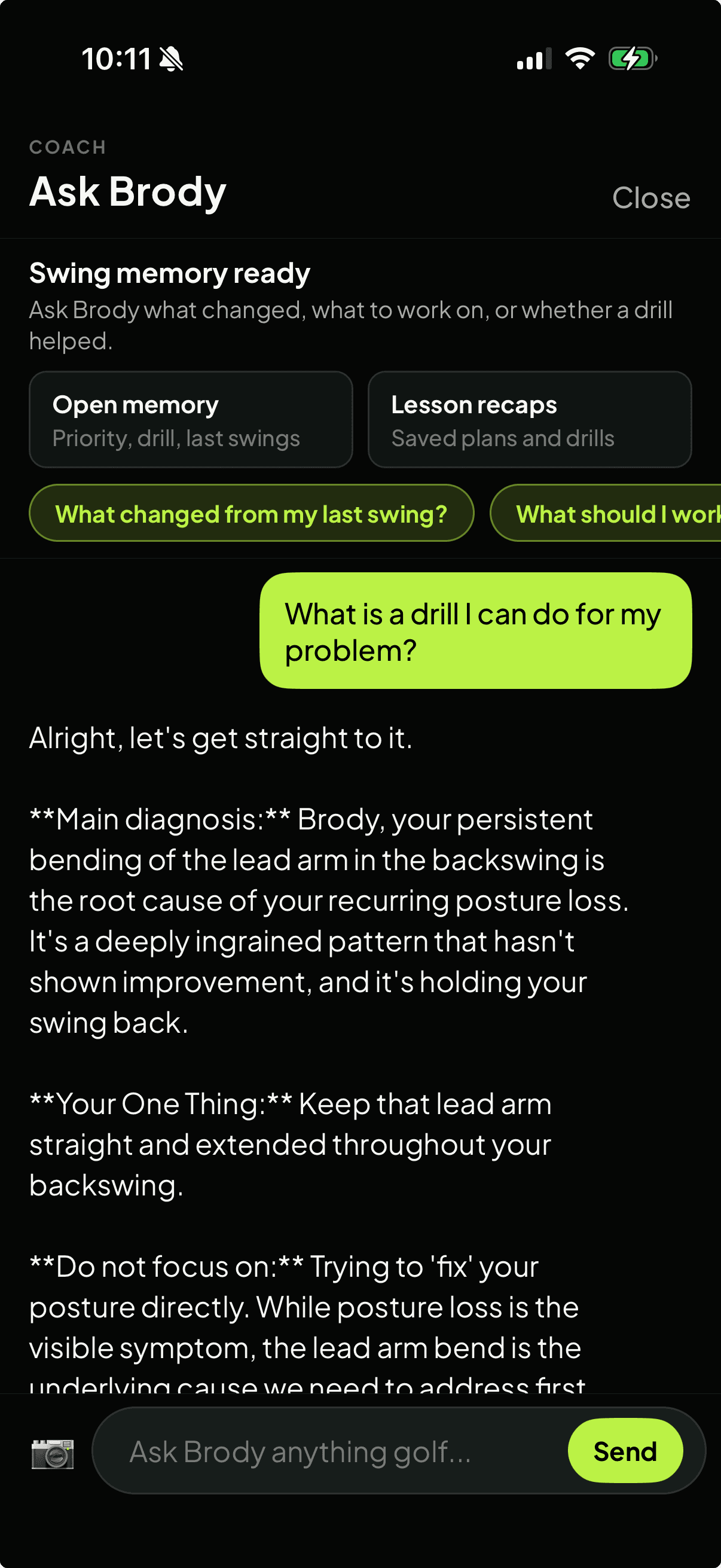
SwingSmith Ask Brody dark screen showing swing memory, drill question, and previous swing context

From analysis to practice plan

Analyze

Start with one real swing

Upload in the mobile app so the video, score, P10 checkpoints, written priority, and history stay connected.

Prioritize

Choose the first useful fix

Use the result to narrow practice to one visible checkpoint instead of stacking generic swing tips.

Ask

Chat with swing memory

Ask Brody what changed, what to work on, whether a drill helped, or how the current swing compares with older uploads.

Retest

Make practice measurable

Upload a later swing and compare whether the same priority improved, repeated, or moved to a new pattern.

Useful when

The problem is focus

You keep trying random swing tips and need one practice priority.

A coach gave you a feel, but you need a way to track whether it is showing up in later swings.

You practice at the range, home net, or simulator and want a clearer checkpoint before hitting more balls.

You want drill follow-up that can reference previous swings, saved plans, and recurring patterns.

Why history matters

A drill only matters if the pattern changes

One upload can show the current priority. The next upload shows whether practice helped. Ask Brody is built for that follow-up: previous swings, lesson recaps, saved plans, and drill context can stay in the same conversation.

Related SwingSmith paths

Test it on your swing

Start with your next practice priority

Install SwingSmith, upload a clear swing in the app, and use the result before choosing what to drill next. Your video, history, and Ask Brody follow-up stay inside the mobile app.

Frequently asked questions

What is a golf swing drills app?

It is an app that helps connect swing feedback to practice. SwingSmith starts with phone-video analysis, then uses a written priority and Ask Brody follow-up so drill questions stay tied to your actual swing history.

Does SwingSmith give generic golf drills?

SwingSmith is designed around the analyzed swing first. The useful path is to identify the priority, then ask Brody about drills, feels, lesson recaps, or what changed compared with previous swings.

Can Ask Brody remember my previous swings?

Yes. Ask Brody can use swing memory, previous uploads, saved plans, and drill context so follow-up questions are not limited to one isolated analysis.

Can I upload a swing on this website?

No. Uploads, analysis, history, and Ask Brody follow-up happen inside the iOS and Android app so the practice record stays connected.

Can I start free?

Yes. SwingSmith uses one free starter analysis, so golfers can test the analysis-to-practice workflow before deciding whether to upgrade.

Explore SwingSmith

Start with the core app, analyzer, coach, and support paths. Specific swing-topic pages stay linked from the articles where they are most useful.

Analyze My Swing Free
