Impact Position Analysis

Golf Impact Position Analysis

Use SwingSmith to review impact position, low point, spacing, P10 checkpoints, and swing history from normal phone video.

Analyze My Swing Free

Last updated: May 26, 2026

Contact pattern, full sequence

Review the frames that create impact

Impact gets blamed for every miss, but the useful evidence usually starts earlier. SwingSmith turns a normal swing video into a score, P10 frame sequence, written priority, and Ask Brody follow-up so impact work stays tied to the whole motion.

Low point
P10 sequence
Swing memory

Start with one free starter analysis. Uploads and impact-position analysis happen inside the mobile app, not on this website.

SwingSmith dark impact-position analysis result showing score and P10 frame sequence
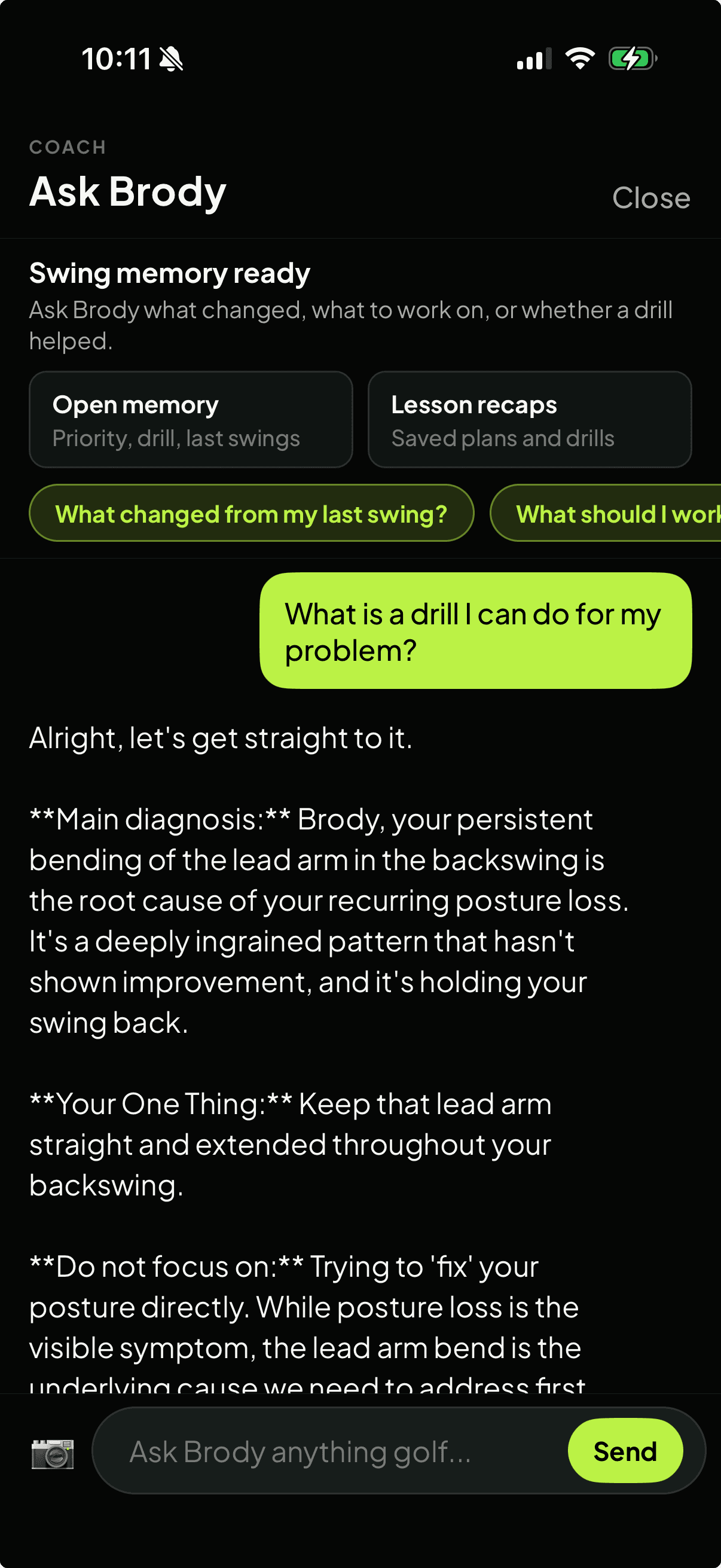
Ask Brody swing memory screen for impact-position follow-up questions

An impact-position workflow for practice

Step 1

Record the contact pattern

Capture the swing that produces the fat, thin, heel, toe, shank, or crowded-impact strike so the review starts from the real miss.

Step 2

Review the P10 sequence

Use the score, frame sequence, written priority, and visual context to see what changes before the club reaches impact.

Step 3

Check spacing and low point

Look for posture, hand path, body spacing, and low-point clues instead of judging impact from one frozen frame.

Step 4

Compare the next swing

Upload a follow-up swing and ask Brody what changed so contact work stays connected to your own swing history.

What SwingSmith helps you review

Low Point

Review fat, thin, and turf-contact patterns beside the swing positions that produced them.

Handle And Clubhead

Check whether the delivery position matches the contact pattern you are seeing.

Posture And Spacing

See whether crowding, standing up, or drifting changes the room your arms have through impact.

Face And Path Context

Use the surrounding sequence to connect starting direction and curve to visible movement checkpoints.

P10 Before Impact

Look at setup, takeaway, top, and transition so impact is not treated as an isolated picture.

Swing Memory

Ask Brody about earlier uploads, saved drills, and whether the same contact pattern is repeating.

Good fits

  • Golfers fighting fat shots, thin shots, heel strikes, toe strikes, shanks, or inconsistent low point.
  • Players who feel crowded through impact or lose posture when contact pressure goes up.
  • Range, home-net, and simulator sessions where contact tells part of the story but video shows the movement pattern.
  • Lesson prep when a golfer or coach needs a shared impact-position reference tied to the full swing sequence.

Why sequence matters

Impact is a result, not a guess

A single impact screenshot can show contact position. The full sequence shows whether the setup, backswing, transition, or spacing pattern is creating it. Ask Brody can then compare future uploads against the same contact priority.

See Ask Brody Memory

Related SwingSmith workflows

Start with the swing that misses

Analyze the contact pattern in the app

Install SwingSmith, upload a clear swing, and use the result to decide what to test at the next range, net, or simulator session.

Frequently asked questions

Can an app analyze my golf impact position?

SwingSmith reviews normal phone-video swings and shows a score, P10 frame sequence, written priority, visual context, and swing history. That can make impact-position patterns easier to review before the next practice session.

Is impact the only frame that matters?

No. Impact matters, but the causes usually show up earlier. The better workflow is to review setup, takeaway, top, transition, and delivery so the impact position has context.

What camera angle should I use for impact-position analysis?

Face-on helps with low point, pressure shift, rotation, release, and impact position. Down-the-line helps with posture, spacing, plane, and path. Use a stable phone and repeat the same angle for follow-up comparisons.

Can SwingSmith help with fat, thin, shank, or heel contact?

It can help you connect those contact patterns to visible swing checkpoints and one practice priority. A coach still matters, but the video-backed result makes the next test clearer.

Do I upload my swing on this website?

No. Uploads and analysis happen inside the iOS and Android app so video, results, swing history, visuals, and Ask Brody follow-up stay connected.

Can I start free?

Yes. SwingSmith uses one free starter analysis so you can test the impact-position workflow on a real swing before deciding whether to upgrade.


Explore SwingSmith

Start with the core app, analyzer, coach, and support paths. Specific swing-topic pages stay linked from the articles where they are most useful.

Analyze My Swing Free