P1-P10 Sequence

Golf Swing Sequence Analysis

Use SwingSmith to see the swing as a checkpoint sequence: P1-P10 positions, visible frame context, a written priority, and Ask Brody follow-up that remembers previous swings.

Analyze My Swing Free

Last updated: July 12, 2026

Sequence first, fix second

Stop guessing from one frozen frame

Golf swings rarely break in only one place. SwingSmith turns a normal phone video into a score, P1-P10 frame sequence, visual context, and one written priority so the next range, net, simulator, or lesson session starts from the first useful checkpoint.

Phone video
P1-P10 tiles
Swing memory

Current App Store proof: 4.3 stars from 12 public ratings. Public free-start copy stays numberless until store metadata is fully cleaned up.

SwingSmith dark app P1-P10 golf swing sequence analysis screen

A practical P1-P10 workflow

Step 1

Record one real swing

Use a repeatable down-the-line or face-on angle so setup, takeaway, top, transition, and impact stay visible.

Step 2

Review the P1-P10 flow

Look at the checkpoints as a sequence instead of treating one still frame as the whole answer.

Step 3

Find the first useful break

Use the score, frame tiles, visuals, and written priority to see where the pattern starts to cost contact or ball flight.

Step 4

Ask Brody what changed

Use swing memory to compare follow-up uploads, lesson recaps, saved drills, and the priority from previous swings.

What the sequence helps separate

Setup and address

Ball position, posture, distance from the ball, and starting matchups often explain why later checkpoints get crowded.

Takeaway and backswing

Early hand, arm, club, and body movement can create the top-position pattern before transition even starts.

Top and transition

The change of direction is where many slice, hook, over-the-top, tempo, and contact patterns become visible.

Impact and release

The goal is not a perfect-looking frame. The useful question is which checkpoint gives the next practice session one clear test.

After the upload

Ask Brody keeps the history useful

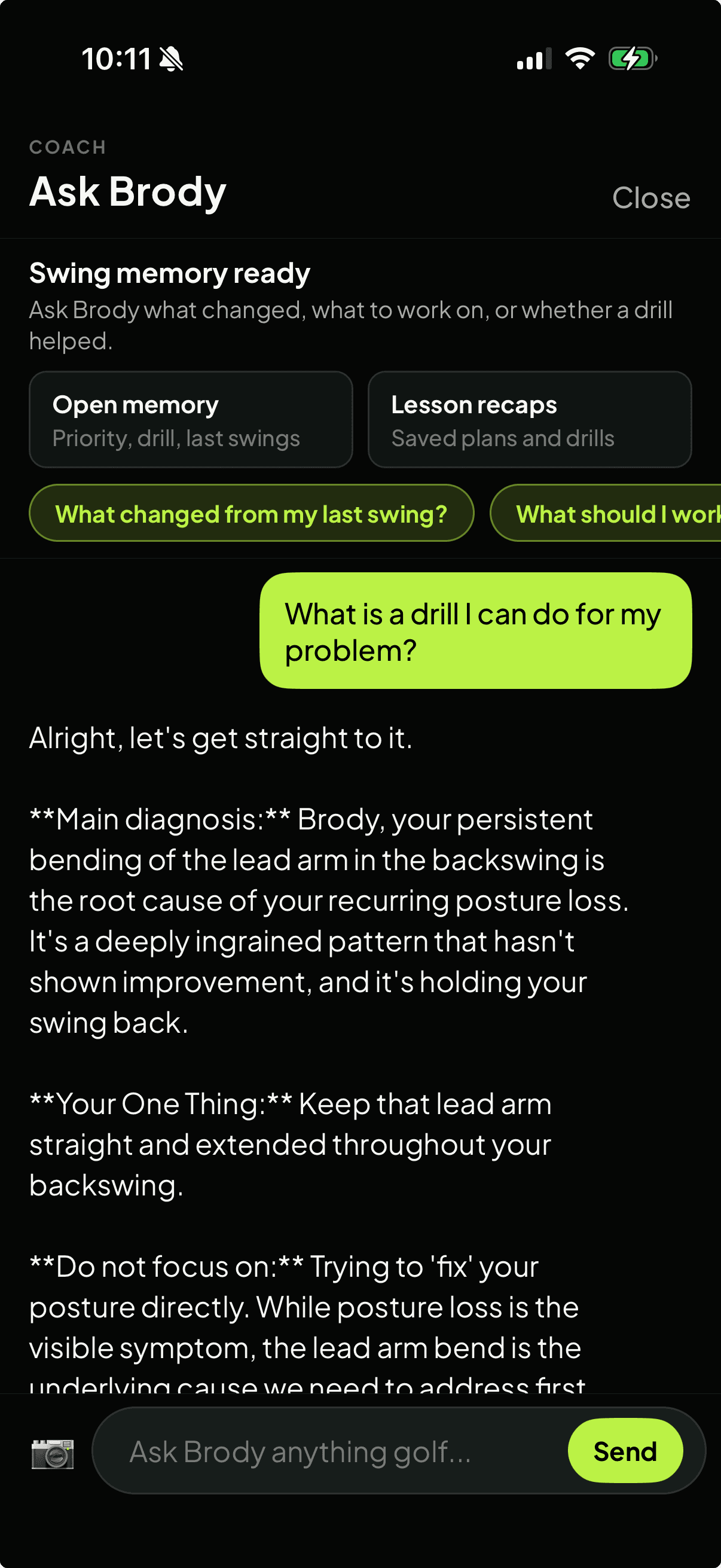
A sequence result is more useful when it is not isolated. Ask Brody can help golfers talk about previous swings, saved drills, lesson recaps, and whether the last practice change moved the right checkpoint.

SwingSmith Ask Brody swing memory screen for comparing previous swings

Start with one swing

Analyze the sequence before changing the swing

Install SwingSmith, upload a clear swing video, and use the P1-P10 sequence plus written priority to decide what to test next.

Related sequence paths

Frequently asked questions

What is golf swing sequence analysis?

It is a review of how the swing moves through checkpoints instead of judging one isolated still frame. SwingSmith shows the P1-P10 flow, written priority, visuals, and follow-up context so the next practice decision is easier to choose.

Is P1-P10 analysis only for advanced golfers?

No. The checkpoint language helps beginners, serious players, coaches, and facilities talk about the same swing positions without guessing from feel alone.

Can I compare sequence changes over time?

Yes. After uploads are analyzed in the app, Ask Brody can use swing memory, previous swings, saved drills, and lesson recaps to help compare what changed.

Does SwingSmith replace a coach?

No. It gives golfers and coaches a clearer phone-video readout, especially between lessons, range sessions, or simulator sessions.

Can I upload a swing on this website?

No. Uploads happen inside the iOS and Android app so sequence results, swing history, and Ask Brody follow-up stay connected.

Can I start free?

Yes. SwingSmith uses one free starter analysis so golfers can test the app-based sequence-analysis workflow before deciding whether to upgrade.


Explore SwingSmith

Start with the core app, analyzer, coach, and support paths. Specific swing-topic pages stay linked from the articles where they are most useful.

Analyze My Swing Free