Online Golf Swing Analysis

Online Golf Swing Analysis

Research the workflow online, then upload your phone swing inside SwingSmith to get a score, P10 checkpoints, visual feedback, written notes, and Ask Brody follow-up tied to your swing history.

Analyze My Swing Free

Last updated: May 26, 2026

App-based analysis, found online

Do the research online. Keep the swing analysis in the app.

A browser upload can become a one-off file. SwingSmith keeps the swing video, result, history, visuals, and Ask Brody follow-up together so the next upload can answer what changed.

Phone video
P10 sequence
Swing memory

Public free-start copy stays numberless: one free starter analysis. Uploads happen in the iOS and Android app, not on this website.

Current dark SwingSmith result with score, P10 sequence, written priority, and notes

How the online-to-app workflow works

Step 1

Use the website to understand the workflow

This page explains what SwingSmith checks and what you get back. It does not run a browser upload.

Step 2

Record a normal phone swing

Use a stable down-the-line or face-on angle. Keep the golfer, ball, club, and finish visible.

Step 3

Upload inside SwingSmith

The iOS and Android app keeps the video, result, swing history, visuals, and Ask Brody follow-up connected.

Step 4

Practice from one priority

Use the score, P10 checkpoints, written notes, and follow-up questions to choose what to test next.

What you get back

Swing score

A fast read on the current upload before you go into the notes and visuals.

P10 sequence

A frame-by-frame checkpoint view across setup, backswing, transition, impact, and finish.

Visual feedback

Product proof tied to the uploaded swing, not a generic tip article.

Written priority

One practice focus for the next range, simulator, home-net, backyard, or lesson session.

Swing history

A connected record so later uploads can be compared against older swings.

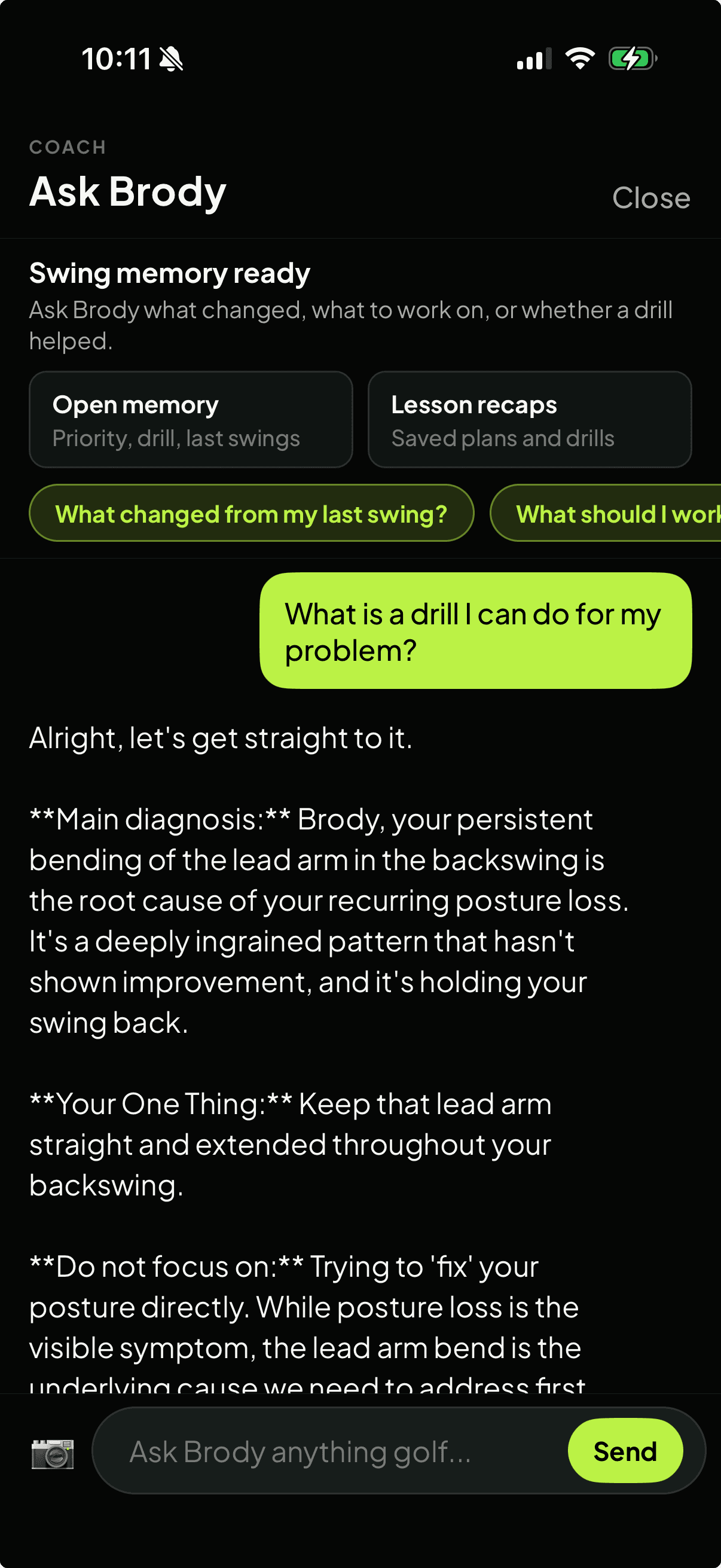
Ask Brody

Follow-up questions about the current result, previous swings, drills, and practice feels.

Ask Brody memory screen for questions about current and previous golf swings

Good fit

Use it when online advice is too generic

  • Golfers searching online before choosing an app-based swing analyzer.
  • Players who already have phone swing video but do not want a generic AI paragraph.
  • Range, home-net, and simulator practice where one next checkpoint matters more than more saved clips.
  • Lesson prep and between-lesson work where swing history helps the next conversation.

Important distinction

This is not a browser uploader

Searchers often type “online golf swing analysis” when they want a way to understand a video. SwingSmith serves that need with an app-first workflow: learn online, download the app, upload the swing, and keep the result connected to history and follow-up.

Related SwingSmith workflows

Start in the app

Install SwingSmith for app-based swing analysis

Use a normal phone swing video, then keep the score, P10 sequence, written priority, swing history, and Ask Brody follow-up connected inside SwingSmith. Current App Store evidence: 4.3 from 12 public ratings.

Frequently asked questions

Can I do online golf swing analysis on this website?

This website explains the workflow and sends you to the app stores. The actual upload, analysis, result history, visuals, and Ask Brody follow-up happen inside the SwingSmith iOS and Android app.

Why not upload directly in the browser?

SwingSmith keeps the swing video, score, P10 frames, visual feedback, written priority, and follow-up chat connected in the app. That matters when you compare later swings or ask Brody what changed.

What does SwingSmith return after the upload?

SwingSmith returns a swing score, P10 frame sequence, visual context, written analysis, and one practice priority. Ask Brody can then help with drills, feels, and questions about older swings.

Do I need a launch monitor or sensor?

No. SwingSmith is built around normal phone swing video. Launch monitors and sensors can add extra data, but they are not required for app-based video analysis.

Can I start free?

Yes. SwingSmith uses one free starter analysis so you can test the app-based analysis workflow before deciding whether to upgrade.


Explore SwingSmith

Start with the core app, analyzer, coach, and support paths. Specific swing-topic pages stay linked from the articles where they are most useful.

Analyze My Swing Free